How to buy Solana (SOL) with cash in Switzerland: wallet, network and Bitcoin ATM purchase
You can buy Solana (SOL) with cash at a Bitcoin ATM in Switzerland, using Swiss francs or euros. Before your visit, prepare your own wallet that supports the Solana network, an identity document and banknotes. During the purchase, you select SOL, complete identity verification and provide the receiving address from your own wallet.
The cryptocurrency and network must match. To buy SOL, you need a receiving address on the Solana network - a Bitcoin address or an address for another network is not suitable.
What is Solana and what is SOL used for?
Solana is a blockchain network, and SOL is its native cryptocurrency. The network supports asset transfers and applications, while SOL is used, among other things, to pay transaction fees.
Other tokens also operate on the Solana network. Seeing the name “Solana” in your wallet does not mean that every token displayed there is SOL. When buying at a Bitcoin ATM, check both the cryptocurrency symbol SOL and the Solana network.
Where can you buy Solana with cash in Switzerland?
SOL is available at Bitcoin ATMs in the Rothbard network, including locations in Zurich, Lucerne and Lausanne. At these locations, you can pay with CHF or EUR.
Location |
Address |
Cash accepted for purchases |
|---|---|---|
Badenerstrasse 230
|
CHF, EUR
| |
Friedenstrasse 2
|
CHF, EUR, USD, GBP
| |
4 Avenue William-Fraisse
|
CHF, EUR
|
The operator’s machine pages for Zurich, Lucerne and Lausanne list support for SOL and the accepted cash currencies.
Find other locations on the map of Bitcoin ATMs in Switzerland. Before travelling, check the access hours and the machine’s current status. A shop or kiosk being open does not guarantee that its Bitcoin ATM is currently available for transactions.
Which wallet do you need to buy SOL?
You need your own wallet that supports native SOL on the Solana network. An app being able to hold Bitcoin or Ethereum does not automatically mean that it supports Solana.
Before your visit, open your wallet, select SOL and choose “Receive”. Check that the displayed address is for the Solana network and have its QR code ready. This avoids having to set up the wallet at the machine.
Your public address is used to receive cryptocurrency. Your recovery phrase and private key control access to your wallet. Do not confuse these details.
When buying, use only your own receiving address. Do not scan a wallet code sent by another person, even if they offer to help you make the purchase.
If you are setting up a new wallet, download the app from an official source and securely back up the details needed to restore access. Never share your recovery phrase or private key, including with someone claiming to be technical support.
Which network should you choose when buying Solana?
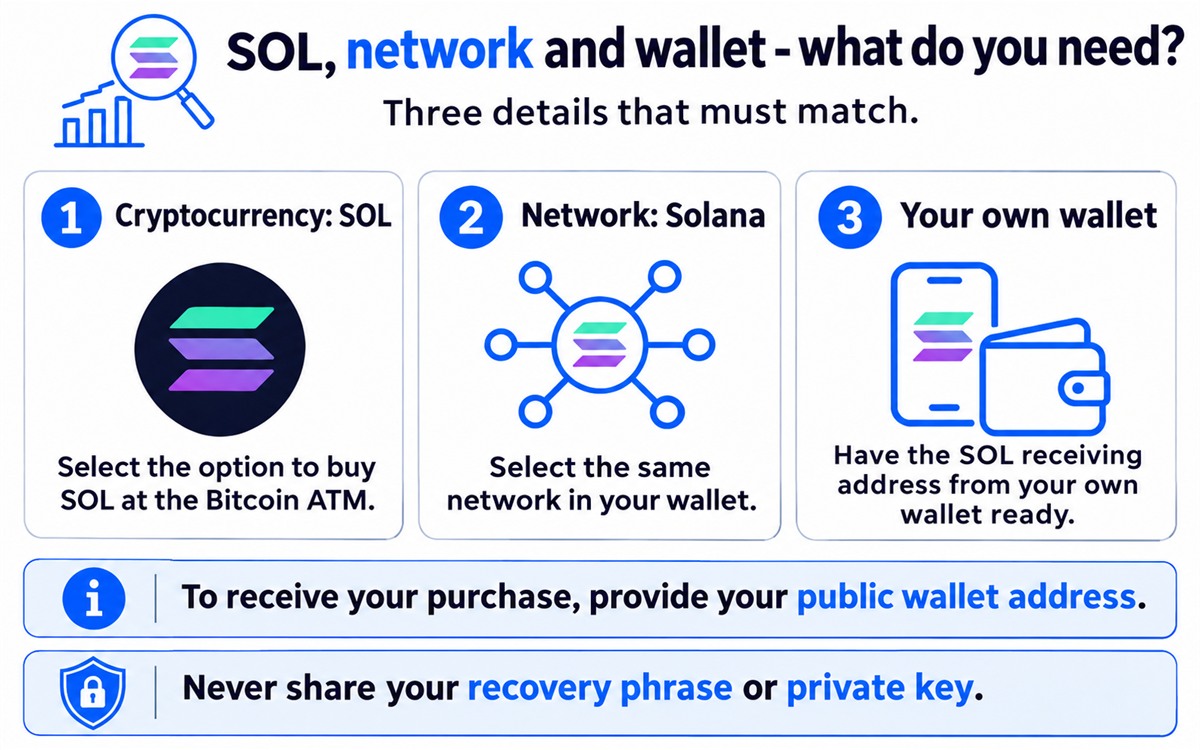
For the purchase described in this guide, choose SOL on the Solana network. Then use the receiving address for the same cryptocurrency and network in your own wallet.
Before confirming, check these three details:
- Cryptocurrency: SOL.
- Network: Solana.
- Receiving address: the address from your own wallet for SOL on the Solana network.
Do not use a BTC address or an address intended only for another network. If your wallet offers several options and you are unsure which is correct, clarify this before inserting cash. A wrong address or incompatible network may make the funds impossible to recover.
How to buy SOL at a Bitcoin ATM: step by step
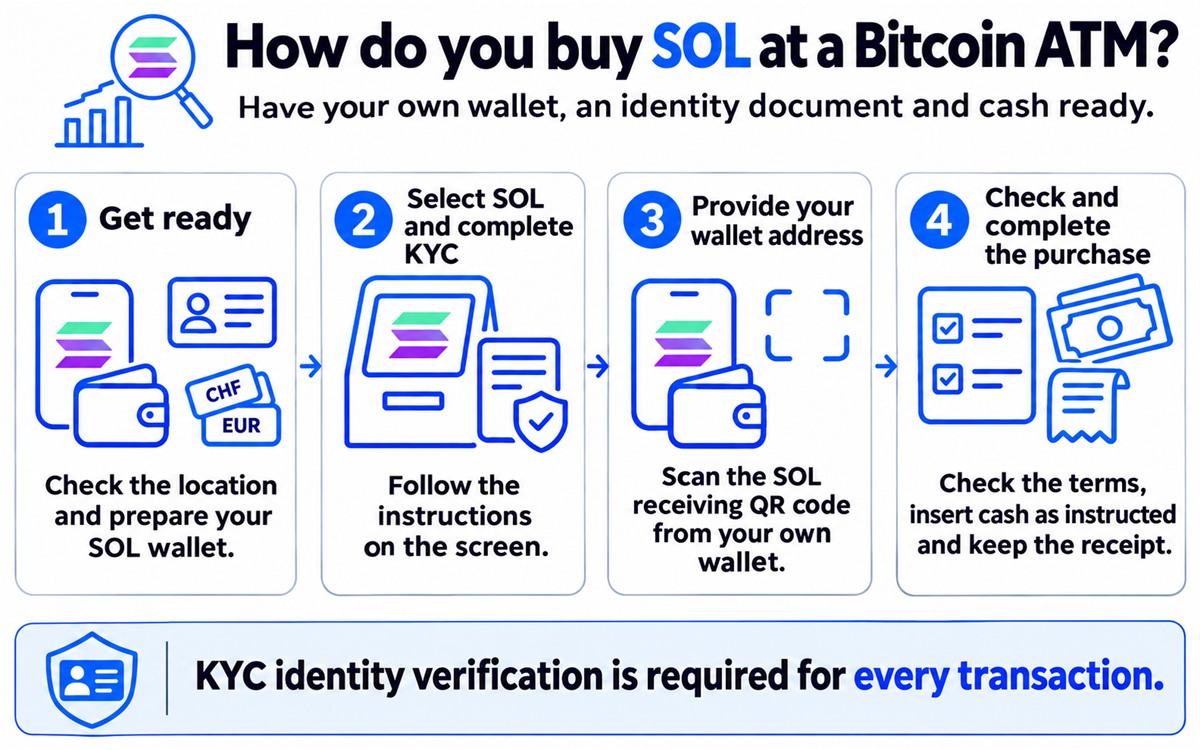
1. Choose a machine and prepare what you need
Check the location on the Bitcoin ATM map. Bring banknotes in an accepted currency, an identity document and your phone with access to your own SOL wallet.
At Rothbard machines, identity verification is required for every transaction. A smaller amount does not allow you to skip this step. See the KYC verification guide for details.
2. Select the option to buy SOL and complete verification
On the screen, choose the option to buy cryptocurrency, then select SOL and the Solana network. Follow the identity verification instructions.
Scan your identity document using the lower, white scanner, and your wallet’s QR code using the upper QR reader. Place the document flat and keep it still until the scan is complete.
3. Provide your own wallet address
Open the SOL receiving function in your wallet and show its QR code to the machine’s reader. Check that the scanned address matches the address displayed in your app.
To receive your purchase, provide your public wallet address. The machine does not need your recovery phrase or private key.
4. Check the rate, insert cash and confirm the purchase
Follow the steps in the order shown on the screen. Check the exchange rate, fees and the final amount of SOL you will receive. Also verify the address and network.
After inserting cash and completing the transaction, keep the receipt. The Rothbard machine instructions explain the procedure and how to use the scanners.
How much does it cost to buy Solana at a Bitcoin ATM?
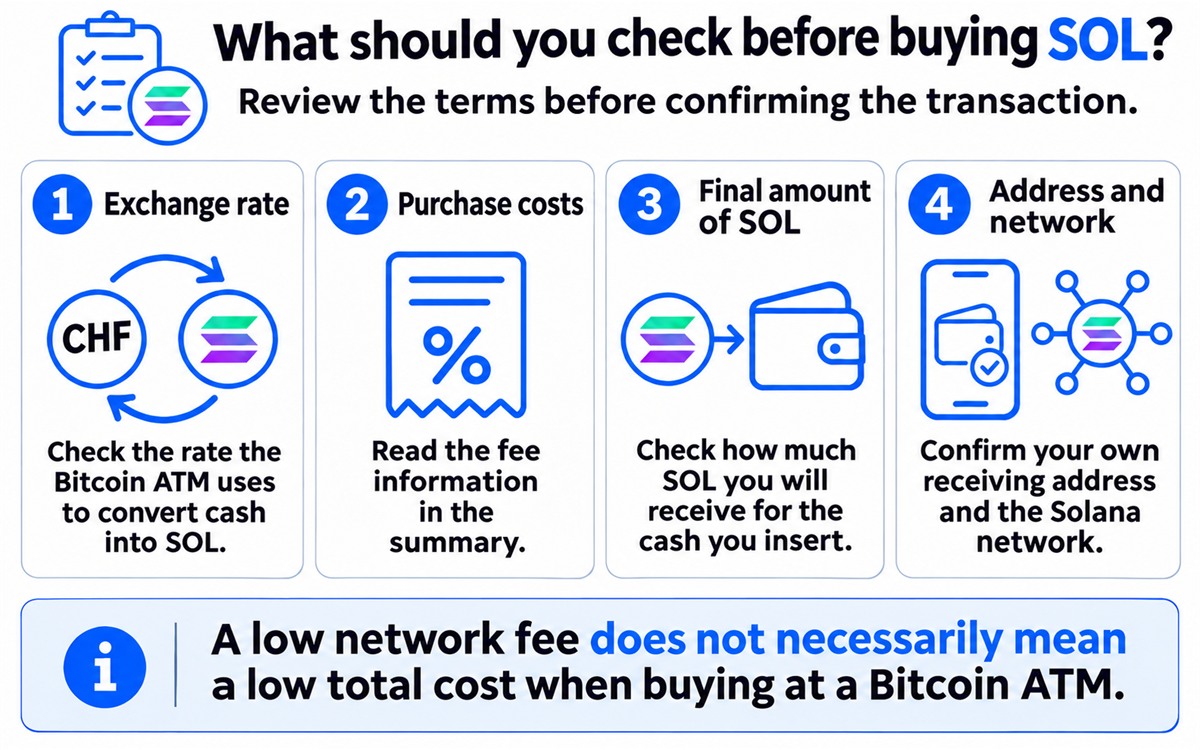
The key figure when assessing the cost is the final amount of SOL you will receive for your CHF or EUR. Check it before confirming, together with the exchange rate and fee information.
Distinguish between:
- The Bitcoin ATM purchase terms - the exchange rate and costs shown in the transaction summary.
- The Solana network fee - the cost of processing a transaction on the blockchain.
A low network fee does not mean that the total cost of buying at a Bitcoin ATM is equally low. Solana’s documentation describes the network fee as a base fee plus an optional priority fee, both paid in SOL. When you later send funds from your own wallet, you also need SOL to cover the transaction fee. See the official information on Solana fees.
For more on checking costs before buying, read the guide to Bitcoin ATM fees in Switzerland.
What should you do after buying SOL?
Open the correct wallet and check your balance and transaction history on the Solana network. Keep the receipt until any discrepancies have been resolved.
If SOL is not yet visible, do not insert cash again to speed up the same transaction. Check the purchase status and contact the operator’s customer support. Have the machine’s location, date, approximate time, amount and transaction reference ready, if available.
The speed of the blockchain does not mean that every Bitcoin ATM purchase takes the same amount of time. Processing the order and crediting your wallet involve additional steps. If there is a problem, also consult the guide to Bitcoin ATM errors.
Frequently asked questions
Yes. At the Rothbard machines listed here, you can buy SOL with CHF. EUR is also accepted, and selected locations additionally accept USD and GBP.
No. Use your own wallet when buying. Do not use an address or QR code received from another person.
Only if it also supports SOL on the Solana network. A wallet intended only for BTC is not suitable for receiving SOL.
Yes. Identity document verification is required for every transaction at Rothbard machines, including purchases of Solana.
You do not have to install the operator’s app. You need your own wallet that supports the chosen cryptocurrency and network.
No. Selecting SOL means buying SOL. Other tokens on the Solana network are separate assets.
No. Consider the exchange rate and all costs shown by the Bitcoin ATM. Assess the offer based on the final amount of SOL you will receive.
Check the correct wallet, network and transaction history. Keep the receipt and report the problem to the operator’s customer support. Do not insert cash again for the same transaction.
Find a Bitcoin ATM in Switzerland and check your chosen location before visiting. Have your own SOL wallet, an identity document and cash in an accepted currency ready.